Bitdefender 2020 Antivirus Review

Bitdefender Antivirus Review

We spent hours researching this security system and are ready to present you with what we found, and we found some good stuff. So, keep reading.

Is It Good?

Yes. Yes it is.

Bitdefender is a basic, yet dynamic protection package that fights and destroys malware and provides all kinds of extra security features for its users.

It offers some pretty impressive package deals for affordable prices that we will talk about later.

Bitdefender is popular among:

  • International users
  • Business owners of all types
  • Massive corporations
  • Users looking for a great antivirus at a fair price
  • Owners of personal computers with Windows OS

Here are some highlights of Bitdefender Antivirus:

  • Outstanding features
  • Intuitive and simple
  • Impressive third-party test results
  • Thirty-day free trial for most packages

Security and Reliability

Bestantiviruspro.org ran security tests to find that Bitdefender eliminated 99% of threats, only behind McAfee Total Protection which earned 100%.

AV-Test, a German third-party company, ran its series of tests to find that Bitdefender detected 100% zero-day and widespread threats. Zero-day, so you don’t have to Google it, refers to a new vulnerability used to perform an internet attack. Until a software vendor can fix the vulnerability, it is considered “zero-day.”

In tests run by AV-Comparatives, Bitdefender earned an almost flawless score of 99.8.

These test scores are impressive, so it’s no surprise that Bitdefender is one of the top antiviruses out there. Let’s look at specifics on HOW exactly it protects its users.

Malware Protection

Bitdefender’s malware protection is one of the absolute best. Any suspicious files or codes that are found, Bitdefender compares them to their database while monitoring them. If there are any new and known codes, Bitdefender sends them to the analysis server.

Safe Files is a feature of Bitdefender, and these are used to protect documents on your computer or device from any potential harm. The company updates the computers of 500+ million users with new, improved signatures every single day.

Ransomware Protection

Bitdefender is just as aggressive on ransomware as it is on malware. It blocks access to any infected URLS right away. This is where the Safe Files features comes in—it only allows the most trusted apps and software to even come close to your files.

In addition, a behavioral monitor detects and prevents all the latest ransomware from encrypting files on a user’s computer or device. A brand-new feature from Bitdefender, Ransomware Remediation, then backs up any files that may be in danger, and places them back when the threats are eliminated.

Phishing Detection

Phishing detection and protection is also impressive. Bitdefender’s anti-phishing protection is one of the best out there.

Will Bitdefender slow down my computer?

A common concern among antivirus users is the performance the antivirus will have on the computer. Customers have said that Bitdefender had little impact on their computer’s system, which is a positive. On an average computer, Bitdefender slowed down the device only by 8-10%, which isn’t bad.

Scanning Options

If you want to do a quick scan, you can do so from the dashboard. You can launch a full scan in the “Privacy” menu. You can also program scheduled scans whenever you wish.

The quick scans are quick! They only last 7-8 seconds. The full scans can take up to one hour and 30 minutes, but the more often you scan, the less time each one takes.

Another cool feature is that whenever you plug in a flash drive or any other external source, Bitdefender will automatically scan it.

The vulnerability scanner tests the OS for any flaws in security and needed updates. The Wi-Fi scanner checks for weaknesses in your network, such as weak encryption, and immediately informs the user.

What Package Plans Does Bitdefender Offer?
The following are the plans offered by Bitdefender:

Bitdefender Free Antivirus

This is one of the best free antiviruses out there. Unfortunately, the free version is only available for PCs that use Window OS. Macs and mobile devices aren’t supported. The Bitdefender free antivirus is a good basic plan that offers solid protection.

Bitdefender Antivirus Plus

Bitdefender Plus is the most popular plan out there. Here’s what comes with it:

  • Multi-layer ransom protection
  • Vulnerability scans
  • Online banking protection
  • Password manager
  • Wi-Fi security
  • Search advisor
  • 200 MB of daily traffic for the VPN
  • Free, 24/7 customer support

For one device, the Bitdefender Plus plan is $39.98 a year. For three devices, $59.99. For five devices, $69.99, and for 10 devices it is $79.99.

Bitdefender Internet Security

The Bitdefender Internet Security plan is the next paid plan, and this plan includes all the features listed in the Plus plan and with a few more:

  • File encryption
  • Parental control
  • Firewall
  • File shredder
  • Webcam protection

This plan ranges from $59.99 a year for one device to $89.99 a year for ten devices.

Bitdefender Total Security

With this package, you will be able to protect devices on a Window OS, Android, iOS, and Mac OS, making it the most commercially used package. The Total Security plan includes all the features from the first two paid plans, along with some of its own:

  • One-click optimizer
  • Anti-theft
  • Protection for Mac, iOS, and Android

With this plan, you can protect either five devices for $84.99 a year or 10 devices for $89.99 a year. As you can see, the best deal is to go with ten devices!

Antivirus for Mac

This is a plan designed specifically for Macs, and it is comparable with Windows Antivirus Plus package in features and price. It comes with antivirus protection, of course, and also an ad-blocker and a VPN.

Mobile Security for Android

This package includes an excellent antivirus, a VPN, an anti-theft feature, and a user-friendly interface—all for an affordable price.

iOS Package

This package is free from an AppStore. It comes as a part of the Total Security and Family Pack. A VPN and a data protection tool in case your device is stolen or lost are included.

Family Pack

This plan is great for families with multiple devices. It gives users an unlimited license for the Total Security package.

Box 2

This plan is the most advanced plan you can get from Bitdefender. It will protect every single device in your home and includes parental control, double-clad security, and Total Security.

Premium VPN

Bitdefender’s Virtual Private Network is offered for securing Wi-Fi hotspots while protecting passwords and log in information. The Premium VPN is available for all the major platforms.

All Bitdefender package offers a free 30-day trial. Go to the Bitdefender website, create an account, and you can start your trial. Total Security offers a free 90-day trial as well.

Customer Support

Bitdefender offers great customer support. The official website has a huge collection of articles, written for anyone to understand. (We know sometimes this is not the case, especially when dealing with computer terminology). The user forum is also helpful, and you can find answers to all your questions.

For paid plans, Bitdefender provides 24/7 access to Customer Care. This care involves telephone calls, emails, and even a live chat. Customers raved about the quality of customer service in their reviews.

Pros and Cons

This would not be a proper review without pros and cons. Here’s what we like and we don’t like about Bitdefender:

Pros:

  • Excellent Malware protection
  • Fast scans
  • Light impact on system
  • Online 24/7 support
  • Generous free trials
  • Impressive features in each package

Cons:

  • The standard package only works on a computer with Microsoft OS (no Mac, iOS, or Android options)
  • Some of the packages are a bit pricey

Final Thoughts

Our final thoughts on Bitdefender are that it is an excellent online security program. The near-perfect malware protection, the stellar customer service, and the generous free trials that this company offers top the list.

Pricing on the plans is fair, it’s easy on your computer, and it’s simple to use. You couldn’t ask for more in an internet security plan!
Get Bitdefender here!

Genesis or Divi – How To Choose Between The Two

Divi by Elegant Themes and Genesis Framework by StudioPress are two most popular theme options available for WordPress users. They both serve the same purpose of developing front-end of WordPress websites. However, they both have a different approach to addressing theme designing.

Genesis Framework is famous for its simplicity and minimal parent-child theme approach that helps WordPress developers to create custom themes using the framework. On the other hand, Divi encourages DIY (Do it yourself) approach and let any type of user build their custom designs using drag-and-drop feature.

Due to their popularity, a huge number of WordPress users often find it difficult to decide which one to choose for their next WordPress project. Comparing Divi vs Genesis framework can create more fuss. Instead, we will explore both options one-by-one and evaluate them in a logical manner to come to a conclusion.

Structure

Our first evaluating parameter is the structure of both frameworks.

– Genesis Framework

Genesis is a theme framework in which child themes are installed on the parent theme for easy customization. Any developed child theme gets its core framework functionality from the parent theme. The variety of those child themes are available on StudioPress Marketplace and on other third-party websites.

– Divi

Divi, on the other hand, is a standalone theme. Just like any other WordPress theme, it is installed directly from the dashboard and the user can start customization without even touching its code. Furthermore, Divi offers a set of tools to build and customize the theme as per user preference. It also has a support for child themes, which can be downloaded from Elegant Marketplace.

Customization

Customization is one of the key aspects of any WordPress theme. Themes which are highly customizable are more popular among WordPress users as it gives them the flexibility to design the front-end as per their requirements.

– Genesis Framework

Due to its codebase nature, Genesis is more popular among developers who can modify child themes or simply create their own theme using the framework. It is a well-structured theme and (by default) comes with a sample theme which has a basic structure that makes customization easier.

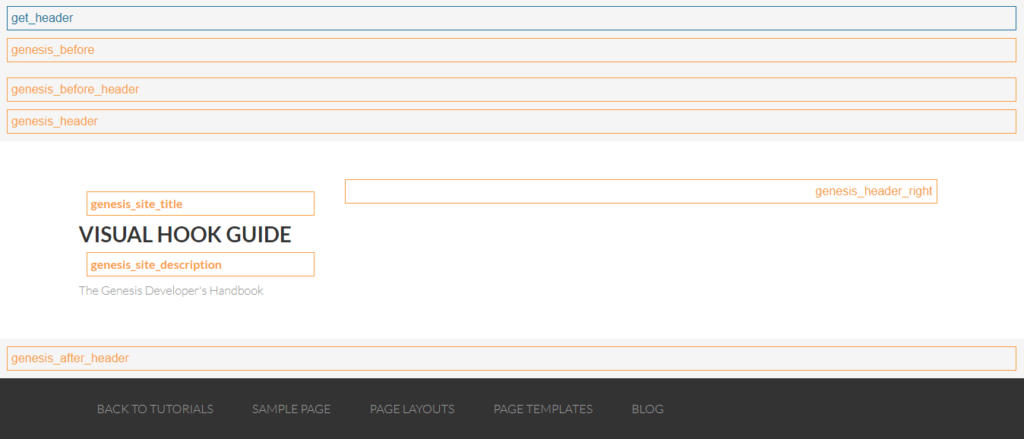
Genesis Hooks

Developers who build sites using Genesis framework find hooks useful. In fact, they are essential when creating custom child widgets or to add other functionalities.

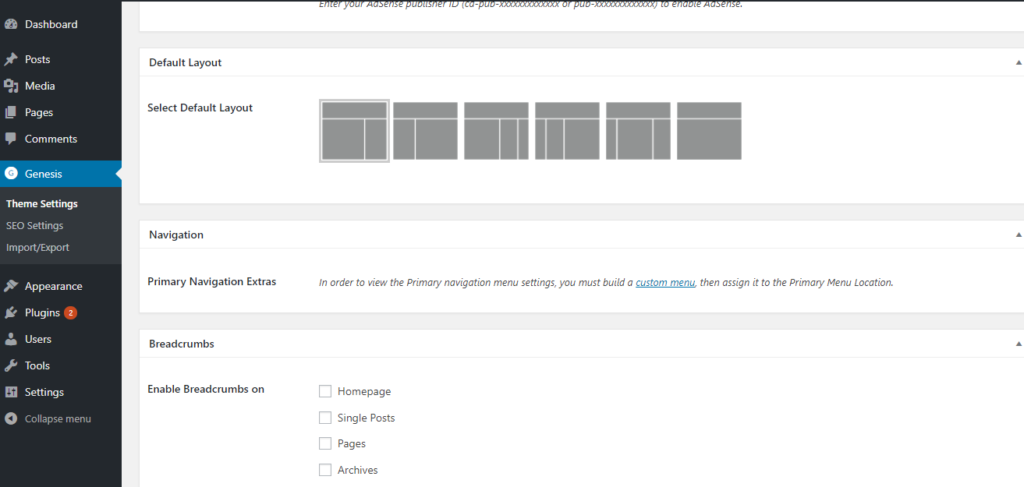
Those who are not fond of coding, they may still customize their child theme using built-in theme settings panel.

Through this panel, the user can modify their layout, navigation menu, breadcrumbs, post commenting, templates etc.

– Divi

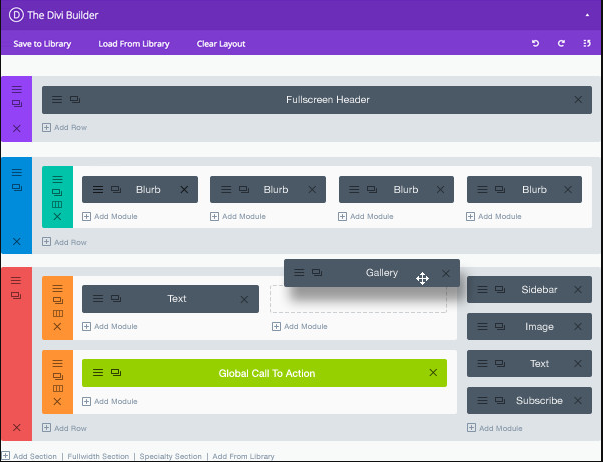
Divi vs Genesis Framework, can be customized using built-in drag-and-drop page builder. It is one of the useful tools for those who don’t know how to code or have less knowledge about coding. Hence, this visual editor lets you build custom layouts by simply dragging and dropping required components onto your theme structure.

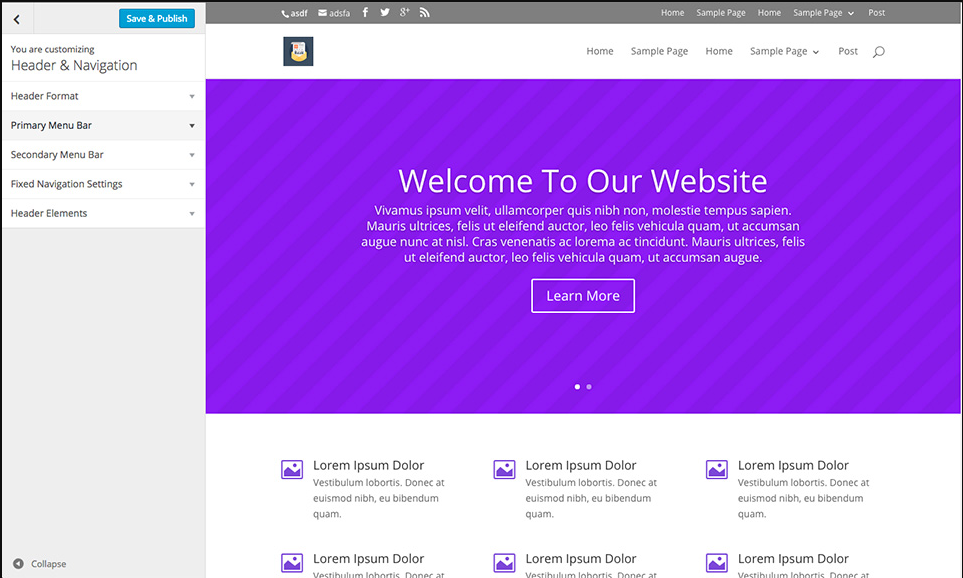
Divi also has an amazing support for WordPress customizer. If you do not want to get bothered by fancy tools inside the visual editor for less complex editing like:

  • Navigation Menus
  • Header Layouts
  • Boxed and Full-Width Layouts

You can simply tweak the layout using the WordPress customizer.

Features

There are few distinct features, which both Genesis and Divi provide. Having a look at them might help you in deciding which one to choose.

– Genesis Framework

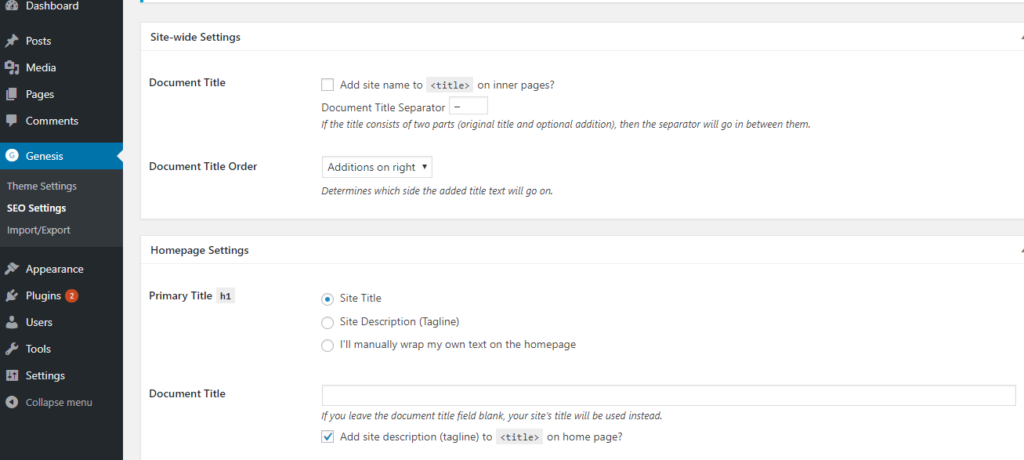
Our early evaluation of Genesis is that the framework is codebase and does not offer many features other than basic WordPress installation. However, there is one feature which is worth mentioning and that’s its SEO fields located inside theme settings. With these fields, users can easily add meta title and description as well as adjust document head settings.

The simplicity of the framework improves website speed and reduces the overall development time as compared to other themes. The parent theme is also easier to update and does not affect child theme customization.

– Divi

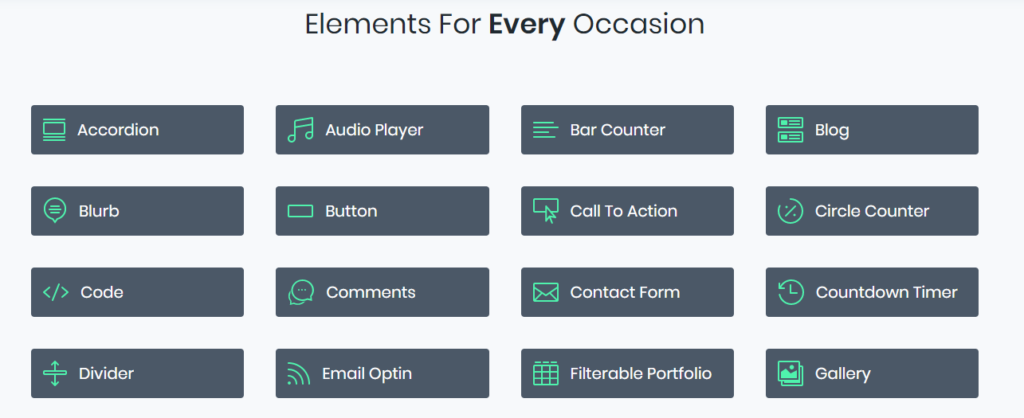
As we have already seen that Divi comes with a complete toolkit in the form of Divi Builder. Almost any kind of customization can be done using this user-friendly toolkit. Besides, Divi users can also add additional modules, such as email optin, gallery, slider, contact form, etc.

No theme restrict you from having multiple add-ons or plugins. Divi has a box full of these components which can easily be added using Divi builder. Genesis, on the other hand, has an opposite approach and it helps you add things when needed.

Support and Update

Both Elegant Themes and StudioPress are prompt in releasing updates for their respective products and make sure it supports the latest version of WordPress.

– Genesis Framework

Genesis was launched before Divi. And due to its codebase nature, Genesis managed to build developer’s community around it as well. Its users can seek help from their official support forum as well as other unofficial resources and forums.

– Divi

Elegant Themes support forum is available to facilitate Divi users. As time is passing by, Divi is also getting popular among freelance bloggers, social media groups and web forums.

Pricing

The pricing always plays an important part when deciding which theme builder to choose for your next web project. Divi vs Genesis Framework pricing comparison can determine which offer the best value for money.

– Genesis Framework

Genesis standard package is available for $59.95 while a child theme collection cost $99.95. Genesis child themes are also sold separately on StudioPress marketplace.

– Divi

Divi offers two options: yearly access for $89.00 and lifetime access for $249. Yearly access gives access to all themes in Elegant Themes gallery as well as all plugins. Lifetime access has same features but it is only one-time payment.

Conclusion

Our detailed evaluation of Divi vs Genesis Framework can help our readers to easily decide which one of them is best for them.

However, there is one aspect to look at and that is your own comfortability. If you like the idea of easily modifying the code and develop your own child theme, then Genesis is best for you. Keeping in mind that the framework does not offer ready-made customizable components and require some coding skills.

Speaking of Divi, it is an all-in-one theme which has an excellently integrated theme builder along with add-ons that easily be added to a WordPress site. Its DIY model is best suited for people who are non-technical yet want to develop high-end WordPress site.

Wix Review (2020) — Should You Use It?

Wix is known for its simple website builder, with a drag and drop interface and a development wonderland for complete beginners. Wix ecommerce has also seen some success, with competitive pricing and decent-looking themes.

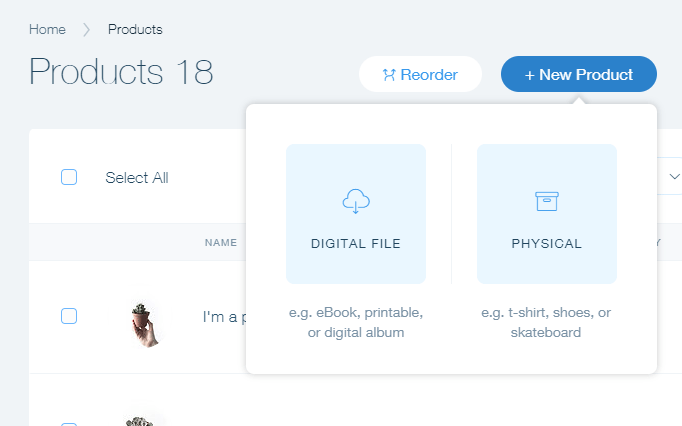
Basically, the Wix Ecommerce system allows for selling anything from clothing to specialty cakes. There’s even support for digital goods like audio files and eBooks.

The company has taken the website building world by storm, helping small business owners leapfrog over expensive website design companies and put their own time into generating a stylish website–without having to pay the hefty costs.

Wix still can’t beat out more powerful ecommerce platforms like Shopify, or more beautiful systems like Squarespace, but that’s not exactly what Wix is trying to do.

I’ve played around with Wix in the past, and I find the tools to be simple and intuitive, but that doesn’t mean that the company’s ecommerce system reflects past achievements. We know that other newer ecommerce companies like Squarespace have seen their share of hurdles, since making an online store creation interface is rather difficult.

That said, I want to give you an in-depth review on what I think about Wix Ecommerce, so keep reading to understand if it’s a viable platform for you.

Wix Ecommerce Features

Upon creating an account and scanning through the general dashboard, Wix Ecommerce seems to offer the standard features that you would expect from any ecommerce platform. That said, compared to a solution like Shopify, you find quite a few features that are lacking in the Wix system.

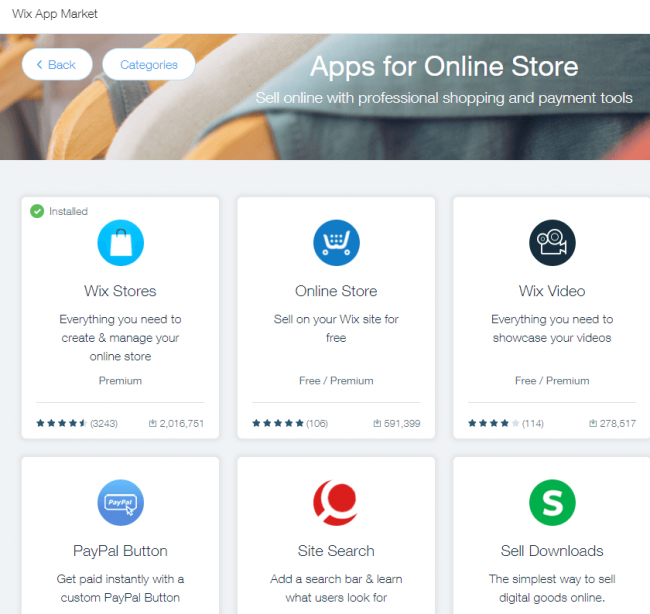
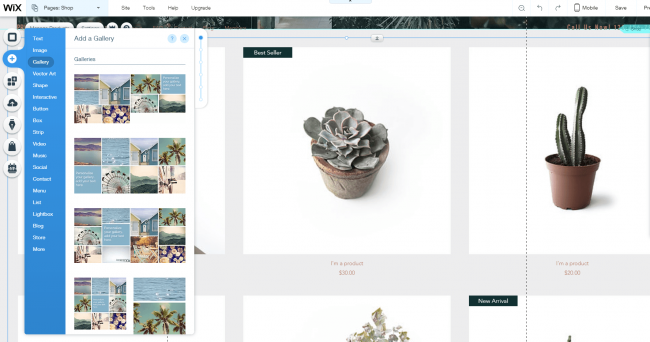
Wix has an easy-to-use dashboard, and the drag and drop interface works well for beginners. It has an app market for including add-ons and other cool things like contact forms and receipts.

However, once again, the Shopify add-on library mainly focuses on ecommerce add-ons, whereas Wix covers everything outside of ecommerce as well. This is a strong advantage for Wix, since it allows you to expand on every aspect of your website.

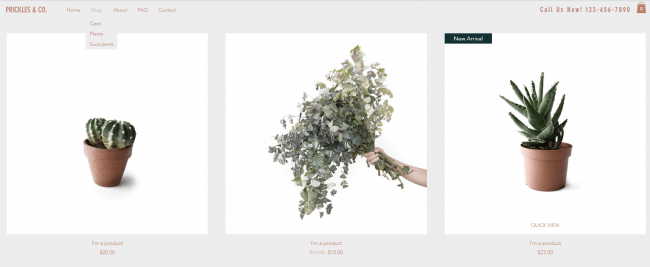
You can quickly add a product page, integrate social media, including images and even change around shapes and buttons.

These are all to be expected, but it’s nice to know Wix did well in terms of the basics.

I like how you can add quick product galleries, or even drop in a quick Buy button or showcase sales. A Thank You Message pops up right after someone makes a purchase, and the seamless checkout process is secure and message-based, sending you emails to stay in the loop.

Wix Ecommerce Ease of Use

Ease of use is a strong area for Wix since the drag and drop editor is simply flawless. Wix has always had this for their its site builders. Now it’s integrated in for ecommerce sites. The dashboard has just a few buttons to choose from, helping beginners hone in on the tasks that are most important.

You can move around every component on your homepage and product pages with just a quick drop of your mouse. This way you don’t have to worry about messing with code to make your customizations. You also receive a nice taskbar at the top to publish or save your work, ensuring that you don’t lose anything.

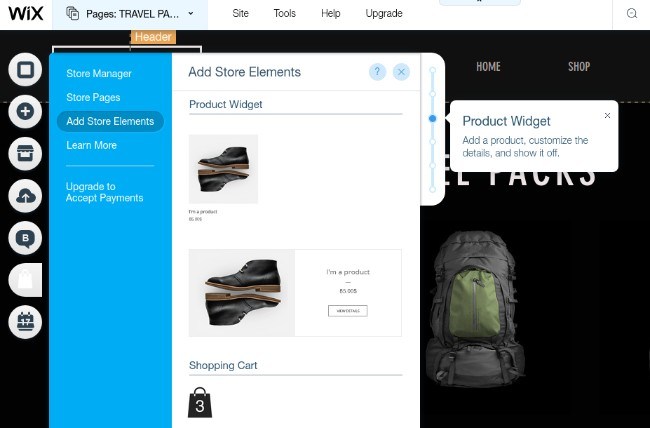
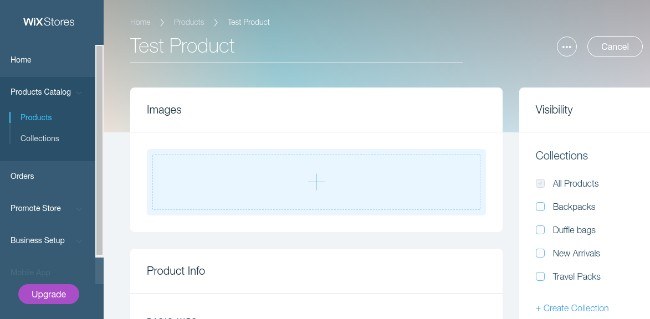
The five buttons on the left of the dashboard allow you to modify pages, add components, design items, go to the app market and mess around with your settings. There’s also a dedicated button for Wix stores, which is extremely helpful for quickly checking on orders, customers, and inventory. Overall, the interface is simplistic, kinda fun and easy on the eyes.

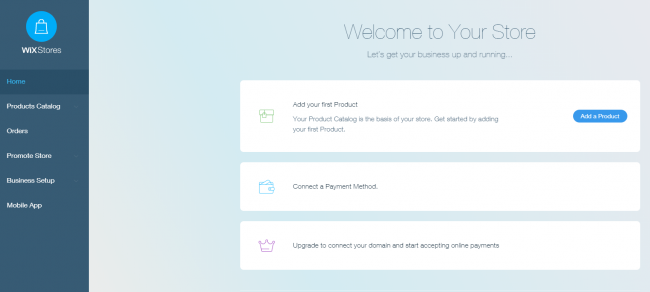
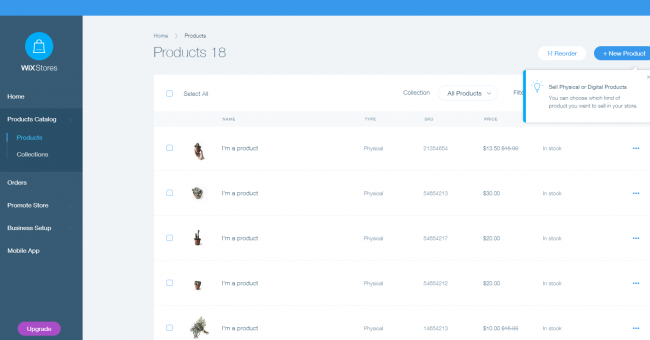
It’s more specific to ecommerce, with options for your product catalog, orders, store promotion options, and more.

Wix Ecommerce Pricing

Feel free to view all of the Wix pricing plans on this page, but the breakdown for ecommerce sites is simple.

If you pay an upfront yearly fee you spend a little less per month, but we’re going to cover the monthly plans.

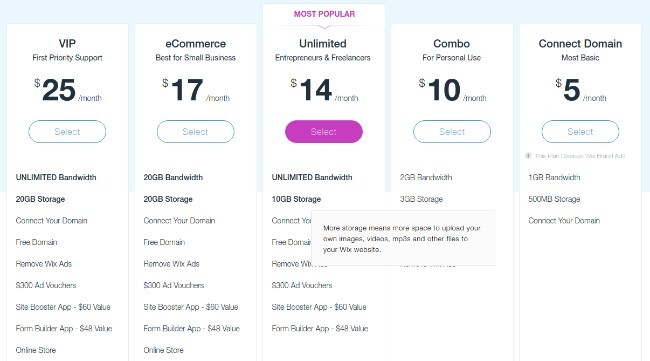
The eCommerce and VIP plans are the only options for online stores. Therefore, you have to pay either $17 or $25 per month.

The eCommerce plan comes with a free domain for a year, some interesting ad vouchers for marketing your site, two premium add-ons for free and 20GB of storage. VIP comes with unlimited bandwidth, VIP support, priority response and a professional site review. As for online store tools, the VIP plan isn’t much different than the eCommerce plan.

If you need to save some money for your startup or small business, this pricing is one of the best in the business, beating out options like Shopify or Squarespace.

Wix Ecommerce Templates and Design

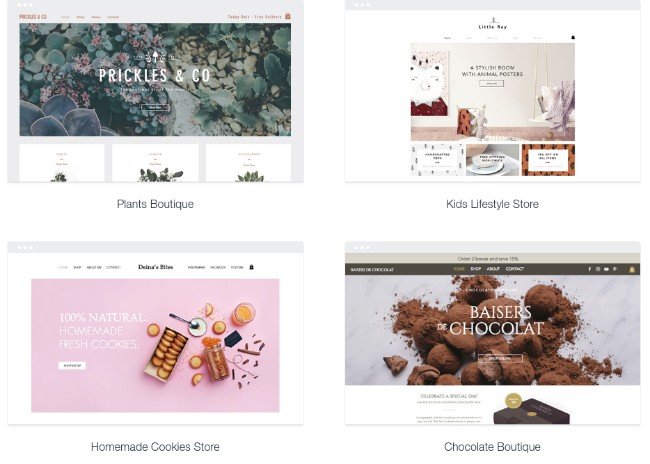
I have one thing to say about the Wix ecommerce templates: They’re quite modern.

And you can now use them to rapidly scale up your store if you would like. Yes, the templates allow for beginners to still make a basic website and not worry about the complications of coding. However. Wix now offers something called Wix Code, which opens up the API for advanced customizations and integrations.

I used to think that Wix wasn’t great for more complicated customizations like this, but that’s definitely changed. So, you can either hire a developer or complete the work yourself if you’re up for the task.

Overall, you can’t beat the designs in terms of cleanliness. They’re awesome for starting your first store, and even for growing into a mid-sized business.

Wix Ecommerce Inventory

Managing inventory in Wix isn’t all that difficult. You can add a product, track inventory, display how many units are left, include product options and check in on your orders. It has support for collections, tags, store promotions and more.

Wix is also great for selling digital products, since the product page templates are designed differently and ready for you to insert content.

Managing your inventory when it goes out to users has become more manageable. For instance, Wix offers a cool feature for calculating real-time shipping. You can also scan barcodes to track your shipping and give your customers a better idea of when packages are coming.

The Wix Mobile Apps

Being on-the-go as an ecommerce professional is often unavoidable. That’s why Wix has put together an excellent mobile app for you to manage your entire online store and add products regardless of where you are. I particularly enjoy this because you can check-in on your orders and make sure that everything is running smoothly when you’re out of the office.

In addition to that, you can chat with your site visitors, adjust your website, and keep track of bookings if you have that functionality on your site. Wix offers an iPhone app and an Android app.

Wix Ecommerce SEO and Marketing

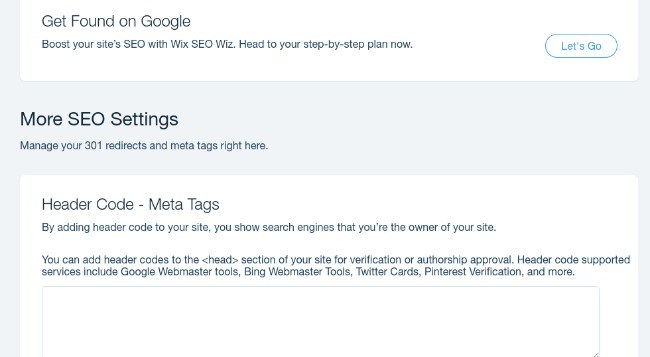
SEO and marketing features are surprisingly powerful in Wix, and I attribute that to the fact that Wix has been making websites for quite some time. It doesn’t matter what page you’re on, just go to the SEO settings and fill in fields for your site title, site description, keywords, meta tags, redirects and more.

Marketing comes into play through the add-on store since you can implement integrations for things like email marketing and search engine advertising.

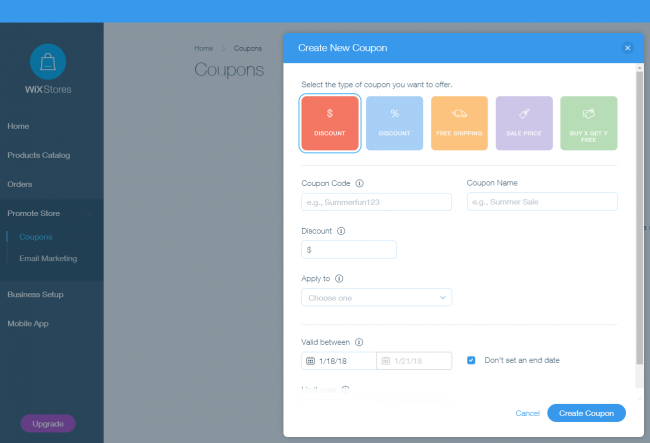
In fact, the email marketing and coupons are managed right in the drag Wix editor, making for an intuitive marketing system.

Other than that, Wix has all the essentials for your marketing campaigns. You can implement customer reviews on all of your product pages and create content for your users through a blog. I also enjoy the ad campaigns for growing your audience and the direct integration with Google AdSense.

Along with Pinterest features, social media icons, and a full Etsy shop, you can’t find a more powerful marketing platform than Wix.

Wix Ecommerce Payments

The Wix Ecommerce payment options have drastically improved over the years, as the company adds new payment gateways on a regular basis, along with a simple process for connecting and onboarding.

Dozens of gateways are provided, including 2Checkout, Stripe, and Square. Therefore, you can decide on the payment gateway of your choice and accept credit card payments and other payments like PayPal.

Wix Ecommerce Security

Wix has full SSL secure payment support. Therefore, your customer information is protected with 256-bit SSL encryption.  In addition, Wix only works with payment gateways that offer the highest level of protection. This means they all have PCI DSS Level 1 protection.

Wix Ecommerce Customer Support

Wix is known for its high-quality support, and you receive their premium support package when signing up for an ecommerce site. You don’t get the priority callback service, but you can always upgrade if that’s important to you.

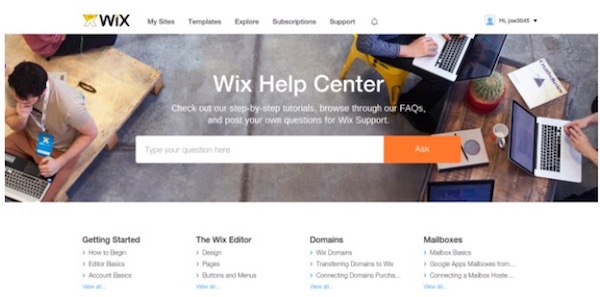
The Wix Support Center delivers documentation, forums, and FAQs for just about any question you might have. You can also call in or send the company an email.

Conclusion

Who would I recommend the Wix Ecommerce platform to? Business owners who only plan on selling less than 100 products. You can make your site look fairly professional and run perfectly capable payment systems through the interface, and the dashboard is so darn easy to use.

Namecheap Vs Godaddy – Reviews And Comparison

Namecheap VS Godaddy

Within the past 5 years, the number of domain registrars and website hosting companies have grown exponentially. As a result of this explosive growth, it can be challenging to select a domain registrar among the many companies that provide domain registry services.

Some registrars specialize in selling domain names. While others sell additional features such as web hosting, security, email marketing solutions and cloud services. With some domain registrars, the list of services they offer are endless.

Two of the most well known domain registrars are Namecheap and GoDaddy. Before we take a look at the features of each of these services, let’s explore some features that you should look for in a great domain registrar.

How to Select a Reliable Domain Registrar

When you are researching domain registrars, you must remember that each registrar has access to the same domain names and URLs. This means that no company can provide you with better URL names than other companies.

Here are a few questions you should ask yourself before you select a domain registrar. What features are being offered with the domain registry package? Is the price competitive with other domain registrars? If not, what features are being offered to compensate for the price difference? Has the company created processes that make it easy for you to manage your services without assistance?

This is a list of things you should pay attention to as you conduct your research.

  1. Additional or hidden fees associated with transferring your domain name
  2. History and reputation of providing quality services
  3. Reasonably-priced services
  4. Accredited by the Internet Corporation for Assigned of Names and Numbers(ICANN)
  5. Easy domain transfer and forwarding services
  6. 24/7 customer support
  7. Private WhoIs registration
  8. Manual and automatic renewal features

There are plenty of domain registrars that come and go. It is important to pay close attention to the terms and conditions of your service provider.

When you visit your prospective domain registrar’s websites, you should stay focused on your immediate needs. With all of the services that are provided, it can be easy for you to get distracted by the numerous specials and offerings on the website.

Competitive pricing should be a factor as you select your domain registrar, but it should not be the only factor. Make your final decision by considering all of the features that were mentioned earlier in this review.

Many experts recommend that customers use a different domain registrar and website hosting service. If you decide to change to another website hosting service, having your domain name with the same registrar can complicate the matter. You should ask the customer representative of your prospective domain registrars if switching your domain registry to another website host will cause any disruptions.

Namecheap vs GoDaddy – Which Domain Registrar is the Best?

If you have been contemplating whether to subscribe to Namecheap or GoDaddy, this review will help you sort out the details associated with each domain registrar. Our primary goal is to help you make an informed decision after you read this comparison of Namecheap and GoDaddy.

Namecheap

As a leading domain registrar that is accredited by ICANN, Namecheap has developed a strong market share since it was founded in 2000. Namecheap has provided over 4 million domain names to customers throughout the world. Although Namecheap’s core business is domain registry services, it provides additional services including web hosting, email hosting, security and cloud-based services.

Godaddy

In terms of size and market domination, GoDaddy is the largest domain registrar. In fact, GoDaddy has over 30 percent of the domain registry market share.

This company has provided more than 59 million domain names registered throughout the world. GoDaddy provides a wide array of services including email aliases, online marketing tools, search engine optimization, privacy protection and sub domains.

Price

Both Namecheap and GoDaddy offer various advertisement promotion codes that are available on several websites on the internet. Since both sites offer so many services to customers, it would be difficult to compare the prices of each service. For the purposes of this review, we will compare the prices of a 1-year renewal rate for domain names of each site.

Namecheap

$10.69 each year to purchase a .com domain
and $8.88 + ICANN fee, for new domain name registrations.

GoDaddy

$11.99 each year to purchase a .com domain

Namecheap and GoDaddy offer various prices on .net, .org, .info, .co, .biz .io and .us domains. On both sites, you can receive additional discounts if you pay in full for service for multiple years. GoDaddy and Namecheap allow you to register your domain name for up to 10 years. There are also several Godaddy alternatives.

Overall, prices are cheaper on Namecheap + they offer you Privacy Protection for FREE, where as on GoDaddy this is a premium addon.

Namecheap and GoDaddy – Pros and Cons

When you are looking for a domain registry service, you must keep in mind that the perfect domain registrar does not exist. Every domain registrar has good and bad aspects.

With that said, there are pros and cons associated with Namecheap and GoDaddy.

Pros – Namecheap

  • Good service and security features
  • ICANN Accreditation
  • Domains are simple to transfer
  • Minimal upsell tactics
  • Knowledgeable help desk
  • 24/7 customer support via help desk
  • Competitive price points for all services

Cons – Namecheap

  • Some new domain extensions can be very expensive.
  • Customer support needs improving

Pros – GoDaddy

  • Large, trusted brand in the domain name registry industry
  • Easy to purchase and select a domain name
  • Website seems easy to navigate and understand the offerings
  • 24/7 customer support
  • A wide range of services with GoDaddyPro
  • Customer support representatives are helpful and knowledgeable
  • Accredited ICANN

Cons – GoDaddy

  • Check-out process can cause confusion
  • Domain manager is not integrated into same window as other features
  • Difficult domain transfer process
  • Too many instances of upsell
  • Long customer support wait times
  • Due to promotions and upsell tactics, there are a lot of pop-up specials on the screen. This can be annoying when you are trying to navigate quickly around the site.

As you compare Namecheap and GoDaddy, be mindful that GoDaddy is a larger company. There some problems that large companies experience. For example, GoDaddy may not have as many personal touches as Namecheap.

Namecheap is a smaller company. As a result, it can provide more personalized attention and services for its customers.

Overall User Experience

Your time is limited. So your domain registrar should provide an easy-to-navigate user experience for you. Managing your domain name should not consume a large amount of your time during the day. This section of the review will explore the overall user experience including point of purchase, use and navigation.

Namecheap
The overall check-out process for this domain registrar is quick and seamless. The process is straightforward, and there are not a lot of upselling tactics to disrupt your experience.

Namecheap provides a good search engine for domain name suggestions. When you enter this site, you will notice that Namecheap does not have all of the bells and whistles like its larger competitor. Namecheap offers a quick live chat feature, but it lacks telephone support services.

GoDaddy
The GoDaddy website experience is lively and colorful. At first glance, you can the company has a lot of offerings. However, the hustle and bustle associated with this website can be confusing.

First of all, GoDaddy is the epicenter of upsells. With each click of your mouse, you will be bombarded with an advertisement for a different special. If you want to get a domain name quick, fast and in a hurry, the constant upsells can stall your progress.

GoDaddy offers both telephone and live chat support options. This feature is good for you if you need a solution to a problem that you cannot figure out on your own.

GoDaddy offers a domain management feature. However, the domain manager opens in another window. This feature makes the user experience feel segmented and disjointed.

DNS Management Interface

The DNS management window is the sections that enables you to make changes. Unless you have a technology manager, you will be making all of your DNS changes manually. You may have to reroute your DNS to your web host, configure sub domains and set up emails related to your domain. The DNS management interface needs to be user-friendly.

Namecheap’s DNS Management Interface
Namecheap offers a streamlined DNS management interface. It is free from clutter and unnecessary upsell offers. Namecheap’s layout is straightforward. It is constructed in a way that minimizes the time it takes for you to quickly make changes and leave the site.

GoDaddy’s DNS Management Interface
GoDaddy has a more cluttered DNS management interface. There are additional features on the management interface that do not add value to the customer experience.

For example, you may notice features on your DNS management interface that you did not purchase. This part of the site features extra settings for GoDaddy’s upsell subscriptions. These features get in the way of functionality and make the user experience burdensome.

Domain Name Extras

It is not uncommon for domain registrars to provide extra services that are included in the price of your subscription price. After all, there is so much competition that they need to do make an extra effort to differentiate their services from the other companies in the domain registry industry.

Namecheap Extras

  • 100 percent free email forwarding services
  • Reliable DNS (no history of company being hacked)
  • WhoIs privacy feature is bundled
  • Namecheap charges $3 for photo storage and limited hosting package
  • Free custom name servers

GoDaddy Extras

  • GoDaddy charges an additional fee for custom name servers
  • GoDaddy provides a limited hosted package and photo storage for free for 1 year
  • GoDaddy charges an additional fee for WHOIS guard
  • GoDaddy offers email as an upsell package
  • GoDaddy offers a reliable DNS, but the site has been hacked

Namecheap and GoDaddy Upsell Tactics

The internet has evolved so much during the past 20 years that it is hardly recognizable. As technology improves, the need for specialized services grow.

As a result of the internet’s continuous growth, it is not unusual for both Namecheap and GoDaddy to provide customers with the opportunity to take advantage of other offers. This tactic is actually a valuable service for customers, and a lucrative marketing opportunity for domain registrars.

When it comes to using upsell tactics, the GoDaddy website seems to be aggressive and pushy. It seems as if the annoying upsells advertisements do not give you time to make a conscious decision about whether you need to purchase the additional service. If you do not like pushy marketing strategies, visiting the GoDaddy website can frustrate you.

In terms of upsells, Namecheap and GoDaddy offer some of the same packages for hosting and storage. Some of the most common upsells for each of the domain registrars include SSL certificates.

Company Values

If you are like most people, you like to support companies that have admirable company values. When you support any company, you are providing them with the means to further their messages and position in the marketplace.

Namecheap publicly opposes the Stop Internet Piracy Act (SOPA). The purpose of this legislation was to limit the freedom of internet users. Namecheap believes that every person should have the right to use the internet as they desire in a responsible manner without legislative restraints.

GoDaddy actively supports the SOPA legislation. They also support marketing practices that attempt to lock their customers into extended agreements. Another practice they have is using sexual exploitation to market their services.

Although many of these practices may not offend you, it is good to be aware of the values of each of the companies.

Namecheap vs. GoDaddy – Conclusion

The purpose of this review is to provide you with enough information to help you select a domain registrar that meets your needs. Our goal for this review is to tell you whether Namecheap or GoDaddy is the best domain registrar, in our opinion.

Our opinion is that NameCheap is the the best.

Namecheap and GoDaddy are both good domain registrars in their own right. Both of the registrars provide domain names at reasonable prices. They have solid security features, flexible domain management services, around the clock customer support and dynamic DNS performance. Another positive feature associated with Namecheap and GoDaddy is they provide freebies when you get services.

If you like domain registrars that offer a few services, provide a user-friendly interface and minimizes upsell tactics, Namecheap might be a clear choice for you.

Michaels vs Joann (Find Out The Best)

Arts and crafts are a necessary part of life. From the dawn of creativity in our youth to the hobbies that make up our adult lives, everyone benefits from having a creative outlet. But we all know that artistic hobbies can be expensive. It’s important to find savings where you can, and a big part of that is knowing where to shop for what supplies.

This guide will break down the biggest differences between two of our favorite arts and crafts stores, Joanns Fabrics and Michaels, concerning cost and overall quality. Then, we’ll take a look at another option to consider for your arts and crafts needs.

Let’s get started!

Joann Fabrics vs Michaels Prices

The biggest names in the arts and crafts supply business are Joanns and Michaels. Joanns is the older of the two stores, having been founded in Cleveland in 1943. Michaels, on the other hand, was founded in Texas in 1943.

Both stores now have a commanding presence across the country.

By most accounts, prices at Michaels are higher than those at Joanns. According to a Business Insider deep dive, Michaels prices across various departments are often more expensive than Joanns. The differences range from a few dollars to as much as $10 dollars for certain goods.

But which offers better deals? That depends on the tradeoffs between:

Price vs Value

The tradeoff between Michaels vs Joanns is one of quality vs accessibility.

Why are prices at Michaels higher than those at Joanns? Because of differences in the general quality of the goods on offer in both stores. While Michaels is stocked primarily with top of the line products, Joanns offers a broader selection of cheaper, lower-quality products.

But while Joanns might seem cheaper in the short term, there is an argument to be made that shopping at a Michaels store will save you more money over a longer-term.

A premium product is often priced more expensively than a cheaper one because of:

  • Superior build quality
  • Greater brand reputation
  • Warranties or satisfaction guarantees
  • Better or more ethically sourced materials

If spending a bit more on art supplies upfront will prevent you from having to re-buy them again after only a few uses, they’re a great value. You’ll save more in the long-run.

Which is Better Michaels or Joanns?

It depends on what you’re looking for. Let’s discuss.

Selection: Planning vs Improvisation

When it comes to selecting items, there is a variety of philosophies to what shoppers want when they enter a store. Some shoppers plan out their lists meticulously, then enter the store on an efficient mission. Others prefer to start shopping with a looser idea of what they need, then let in-store displays and promotions guide their decisions.

Are you someone who goes in with a plan, or do you like to improvise?

According to the same Business Insider analysis cited above, Michaels stores tend to offer a better selection on most goods than Joanns. What that means is that, if you’re looking to improvise and find inspiration while you shop, Michaels might be better for you.

Another big difference comes down to:

Specialties: Arts vs Crafts

Between Michaels and Joanns, each craft store has its own respective specialty where it shines in comparison to the other. Namely, they break down like this:

  • Michaels is more arts-focused – Michaels famously focuses on art supplies and decorations evocative of the finer arts. You won’t be able to find fabrics there, but it’s a better store for stuff like:
    • High-end art-related technology, like fancy printers
    • Paint and related supplies (canvases, etc.)
    • Home decor and seasonal decorations
  • Joanns is more craft-focused – Joanns is more focused on crafts related to home goods rather than the fine arts (and imitations thereof). As such, it’s a better place to shop for:
    • Fabrics of all kinds
    • Sewing supplies